
The short answer
Start with the free check on your domain. On a paid plan, add the domain and go through four short setup steps: how you'll use Scope, what the business offers, the customer questions to track, and your monitoring preferences. Then run the live audit. You don't need to keep the tab open: Scope emails you when the report is ready.
1. Start with the free check
Enter your domain on the free check. Scope reads your site, asks ChatGPT and Gemini a small sample of customer questions, and shows who they named, which sources they cited, and your top three fixes with every step. It asks each question once, so treat it as a first look, not a measurement.
2. Add the domain and say how you'll use Scope
From your workspace, enter the domain and choose Read this domain. Scope reads the website first, then prepares the business context and customer questions for you to confirm. Setup has four steps: Domain, Business, Questions and Monitoring.
The first step, Confirm how you will use Scope, asks whether this is My own domain or Multiple domains, for agencies and consultants who manage several businesses.
3. Confirm what the business offers
In Confirm what this business offers, Scope proposes the business name, the priority service, product or category, the primary market, and what customers are trying to do (you finish the sentence "I need to…"). You can add the priority audience and what matters most to customers, and, if you like, the action you want customers to take and who can make changes on the site. Correct anything that's off. This matters more than it looks: the questions are built from it.
The same step sets the language. Under Ask AI in, Scope uses your market's language by default and offers English as the alternative, for a Greek hotel whose guests search from abroad, say. Scope asks in English, Greek, German, French, Spanish, Italian, Portuguese or Dutch. Changing the language later starts a new baseline, so you never compare months asked in different languages.
4. Choose the customer questions to track
Scope drafts three tracked questions: an open discovery question, a category shortlist and a problem-led search. None of them names your business, because they measure whether AI recommends you when a customer describes a need. Edit them until they sound like your customers. They're asked again every month, so audits stay comparable.
5. Set your monitoring preferences
- Direct competition. Add up to three businesses you want Scope to recognise in the evidence. Monthly competitor tracking is included on Growth, Studio and Agency.
- Monthly monitoring. Turn on the included monthly audit. It starts after your first live report.
- Emails. Choose what you want to hear about: meaningful changes, visibility declines, and every monthly report.
6. Run it, and come back later
Choose Save and review live audit, check the setup once more and run the audit. The progress screen shows each stage and how many answers have been saved. You don't need to keep the tab open: progress is stored after every batch, and Scope emails you the report link when it's ready.
The paid audit asks ChatGPT, Gemini and Claude, and repeats the questions that matter most so the result reflects a pattern rather than one answer.
7. Read the report in this order
The report is laid out in chapters. On a first read, take them in order. The screenshots below show the report for Northstar Studio, a fictional example business.
- Position: are you recommended when customers ask without your name, and how do the assistants describe you?
- Customer demand: which customer questions you win, and which you lose.
- Competition: who is named instead, for which kinds of question, and why they seem to win.
- Plan: the actions in priority order, each with the page to change and the answers that show why. Start the ones you'll work on. For the rest, choose Not a priority right now to defer them for 30 days or dismiss them.
- Proof and method: open any finding to see the saved answer and the sources behind it.
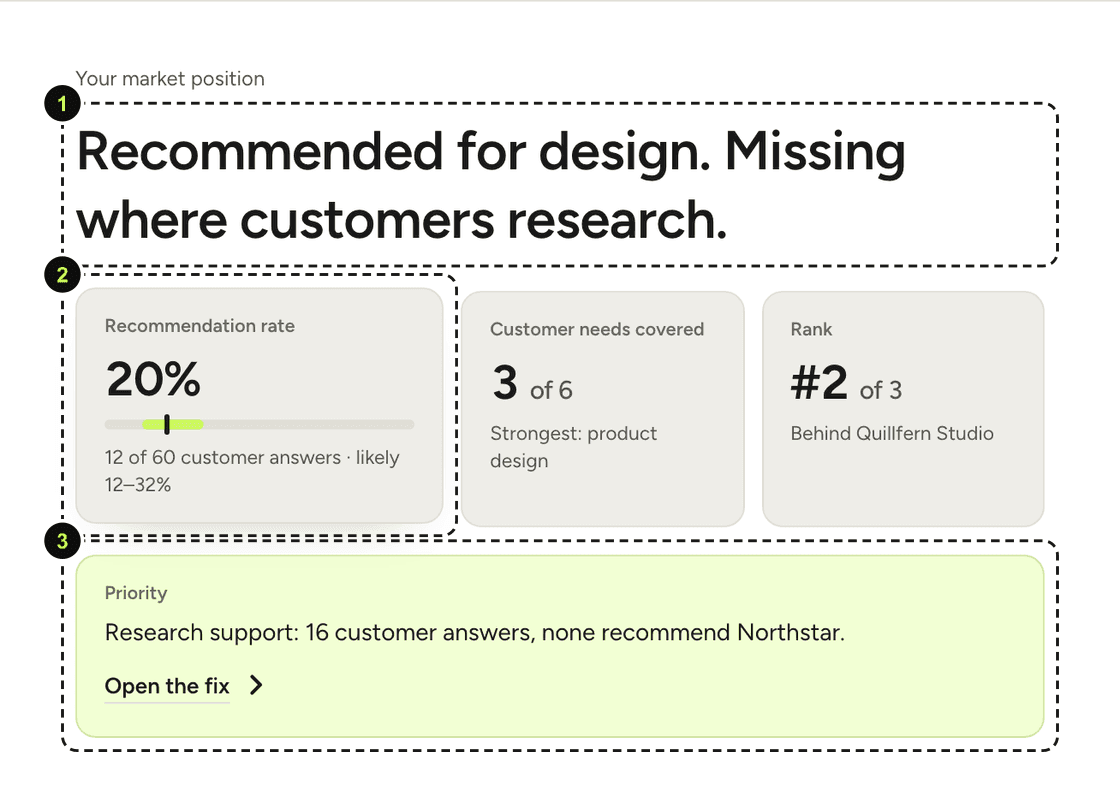
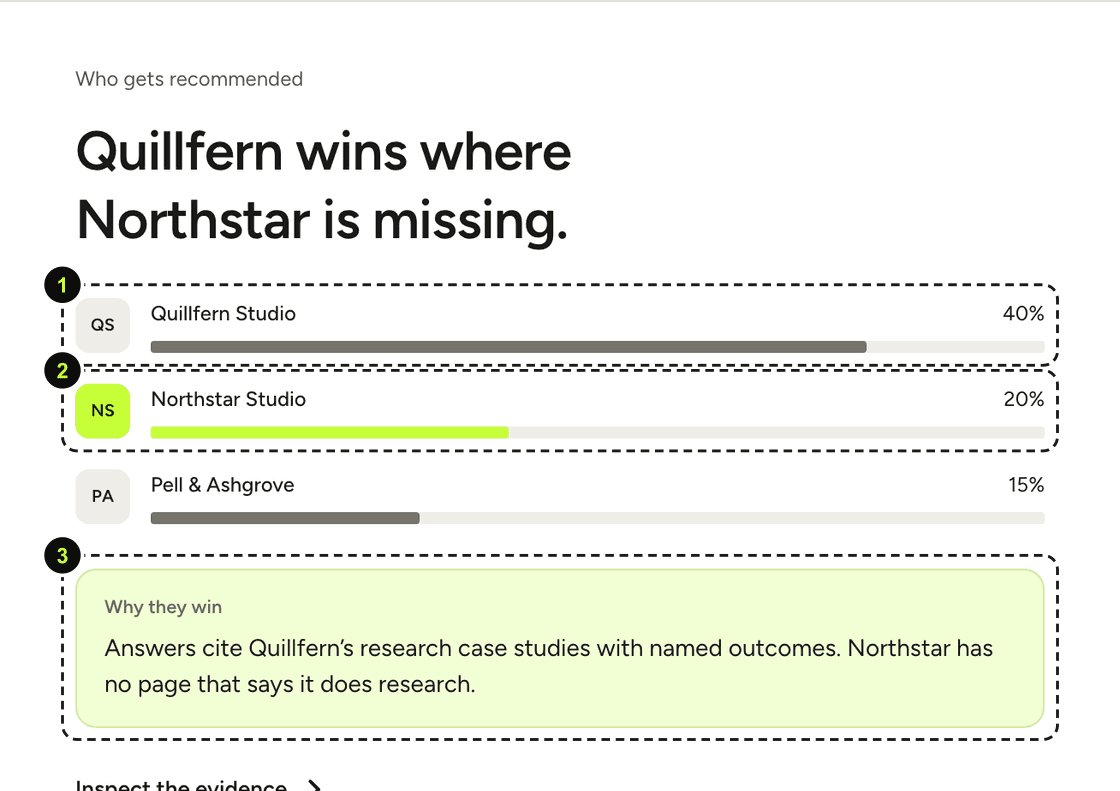
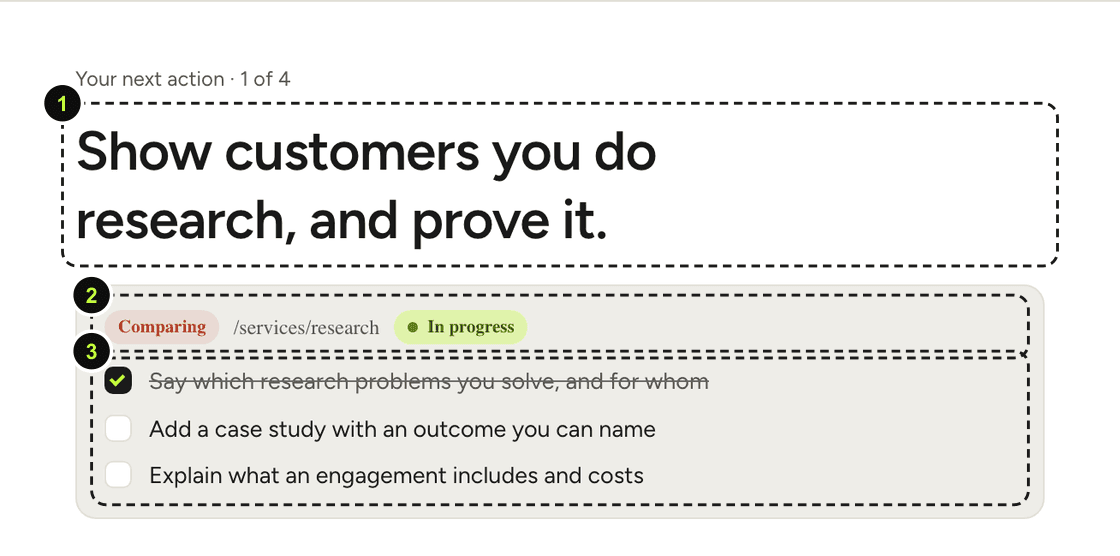
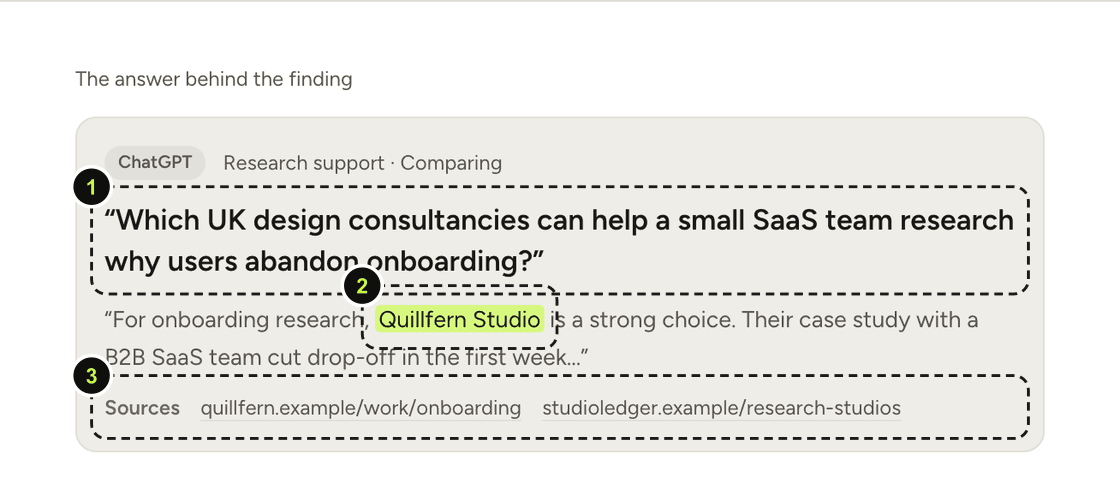
From then on, a full audit runs every month and a weekly pulse checks your key questions in between. See the weekly pulse and quiet weeks.
What this can't tell you
- A Scope audit is a dated sample of AI answers, not a guarantee of what assistants will say next.
- Scope currently asks ChatGPT, Gemini and Claude. Google AI Overviews and Perplexity are not measured.
- The screenshots show a fictional example business. Your report will have different names and numbers.
Sources
Primary sources first. Research papers are cited with their limits. Every source was re-opened on the date shown.
- 1Scope product facts and limitations
The InnerView · 24 September 2026 · checked 25 September 2026
Supported assistants, free check scope, monitoring rhythm and stated limitations, including that Google AI Overviews and Perplexity are not currently measured.
- 2Scope methodology
The InnerView · checked 25 September 2026
How Scope defines recommendation rate and visibility, compares audits, repeats questions and states its limits.
Get the next guide by email
Short emails on how ChatGPT, Gemini and Claude recommend businesses: the new piece, one real answer we saw, and one fix you can make. Unsubscribe any time.
Read next
Reading the Editorial and Performance views
Same data, two layouts. Editorial is the briefing you send; Performance is the dashboard you work from.
26 September 2026 · 5 minReadProduct how-tosThe weekly pulse, and why quiet weeks are good news
What the pulse checks between audits, what an early signal is, and why most weeks should be quiet.
26 September 2026 · 4 minRead